 EN
EN


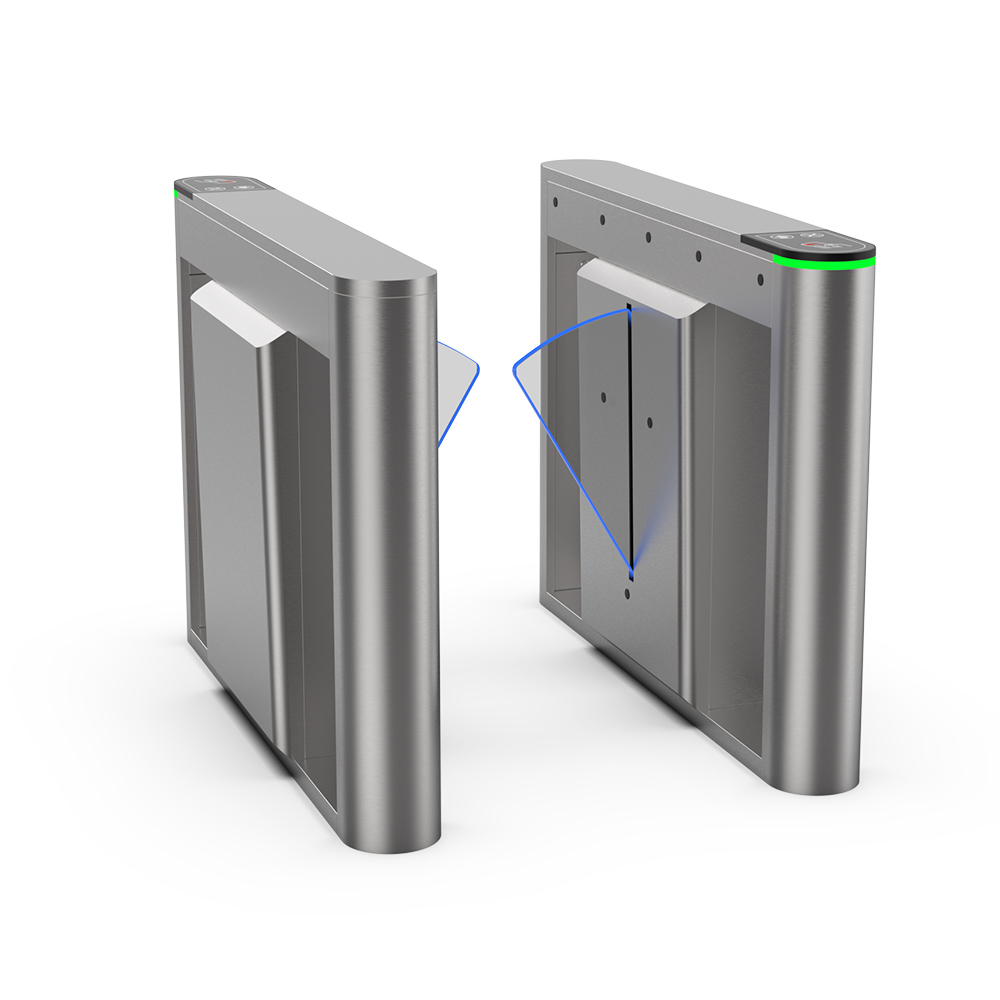


An airport E-Gate and a speed gate may use similar cabinets, motor-driven panels and pedestrian sensors, but they are designed for different operational purposes. An airport E-Gate is part of a passenger-processing or border-control workflow. It may read boarding passes, machine-readable passports or electronic passports, capture biometric data and exchange information with airline, airport, immigration or government systems before releasing the lane.
A speed gate is primarily a pedestrian access control device. It normally authorizes employees, visitors, residents or passengers through RFID cards, QR codes, mobile credentials, tickets or facial recognition terminals. Although a speed gate can be installed inside an airport, that does not automatically make it an airport E-Gate.
The correct choice depends on the checkpoint, required documents, biometric workflow, passenger volume, system interfaces, exception handling, privacy requirements and authority approval. This guide compares airport E-Gates and speed gates from a project-planning and procurement perspective.
Airport E-Gate vs Speed Gate: Quick Comparison
| Comparison Factor | Airport E-Gate | Speed Gate |
|---|---|---|
| Primary Purpose | Passenger processing, document verification, immigration, border control or airport checkpoint automation | Pedestrian access authorization and lane control |
| Typical Credentials | Boarding pass, identity document, machine-readable passport, electronic passport and digital travel credential | RFID card, QR code, mobile credential, ticket, visitor pass or biometric access credential |
| Biometric Functions | May compare a live biometric sample with passport, travel or authority-system data | May compare a user with an employee, visitor, resident or access control database |
| Document Authentication | May require OCR, MRZ reading, electronic passport chip reading and document security checks | Normally not required unless additional document readers and software are integrated |
| System Integration | Airport, airline, immigration, border, customs or passenger-processing systems | Access control, visitor management, attendance, ticketing or building management systems |
| Passenger Workflow | Multi-stage verification with possible exception handling and officer intervention | Usually a shorter authorization-and-passage process |
| Typical Locations | Pre-security, immigration, border control, customs and boarding checkpoints | Office lobbies, staff entrances, lounges, transport facilities and controlled internal zones |
| Project Complexity | High, because hardware, documents, biometrics, software and government processes must work together | Low to high, depending on readers, sensors and access control integration |
| Final Approval | May require approval from airport operators, border authorities, airlines and government agencies | Usually approved by the building owner, security consultant or access control integrator |
The exact capabilities of either system depend on its hardware modules, biometric engine, document readers, software interfaces and approved project configuration.
What Is an Airport E-Gate?
An airport E-Gate is an automated or semi-automated passenger-processing lane that combines a physical barrier with document readers, biometric capture devices, pedestrian sensors and connected verification software. Its purpose is not simply to open and close a gate. It must determine whether the passenger, credential and travel process meet the conditions defined for that checkpoint.
Depending on the application, an airport E-Gate may be used to:
Validate a boarding pass before airport security
Read a machine-readable passport
Read data from an electronic passport chip
Capture a live facial image
Compare the passenger with a passport portrait or approved identity record
Check passenger or travel information through a connected system
Detect tailgating, reverse movement or lane intrusion
Direct unsuccessful passengers to manual inspection
DOOR’s automated E-Gate systems are intended for configurable airport, immigration, customs and border-control projects. The document, biometric and software modules must be selected according to the actual passenger workflow.
What Is a Speed Gate?
A speed gate is an optical pedestrian access gate that uses motor-driven barrier panels and multiple infrared or optical sensors. After an access control system authorizes the user, the panels open, sensors monitor movement through the lane and the barriers close once passage is complete.
Common speed gate credentials include:
RFID or IC cards
QR codes
Mobile access credentials
Visitor passes
Employee identification
Event or transport tickets
Facial recognition linked to an access database
Speed gates are frequently installed in office buildings, corporate campuses, hotels, premium residential developments, metro facilities and airport staff areas. They can provide fast pedestrian access, but they do not inherently verify passports, admissibility or international travel status.
Explore DOOR’s speed gate systems for conventional pedestrian access control applications.
The Main Difference: Access Authorization vs Passenger Processing
The clearest distinction lies in what the gate must decide.
A standard speed gate usually answers a relatively direct question:
Does this credential have permission to enter this controlled area?
An airport E-Gate may need to answer several connected questions:
Is the presented boarding pass, identity document or passport readable?
Is the document valid for the intended workflow?
Does the document belong to the person standing in the lane?
Does the passenger meet the rules defined by the connected authority or travel system?
Has the passenger successfully completed each required verification step?
Should the gate open, retry the process or request staff intervention?
For this reason, the barrier mechanism may represent only one part of an airport E-Gate project. Document authentication, biometric performance, data exchange, exception handling and operating procedures are often more important than the gate’s mechanical opening speed.
Passport and Travel Document Verification
Boarding Pass and QR Code Verification
At a pre-security or boarding checkpoint, the system may scan a printed or mobile boarding pass. The scanner captures the encoded information and sends it to the connected airport, airline or passenger-processing system. The system then determines whether the credential is accepted for that checkpoint.
A QR scanner alone does not turn a speed gate into a complete airport E-Gate. The connected data source, validation rules, system response and exception workflow must also be defined.
Machine-Readable Passport Reading
Machine-readable passports contain a machine-readable zone, commonly referred to as the MRZ. A compatible reader can capture the encoded biographical and document information for use in the verification workflow.
The International Civil Aviation Organization publishes ICAO Doc 9303, which contains specifications for machine-readable travel documents, including machine-readable passports and related document structures.
Reading the MRZ does not by itself confirm every aspect of document authenticity. The complete verification process may also involve visual checks, security-feature analysis, electronic chip reading, database checks or manual review.
Electronic Passport Chip Reading
An electronic passport contains an integrated circuit that can store biographical information, a facial image and other data defined by the issuing authority and applicable specifications. In an e passport gate, a compatible electronic passport reader may access and authenticate permitted chip data as part of the verification workflow.
The project specification should clarify:
Which passport and document types must be processed
Whether MRZ reading is required
Whether electronic passport chip reading is required
Which chip authentication functions are required
Whether document imaging or forensic inspection is included
How unsuccessful documents are handled
Which authority or passenger system receives the data
No E-Gate should be described as supporting every passport worldwide unless the complete reader, software, document library and authority workflow have been tested and approved for that scope.
How Biometrics Are Used in Airport E-Gates
Biometric verification uses a measurable human characteristic to support identity checking. Facial recognition is widely considered for airport passenger processing because it can operate without requiring the passenger to physically touch a reader. Fingerprint or other biometric methods may also be used where required by the project.
One-to-One Facial Verification
In a one-to-one process, the system compares the passenger’s live facial image with one reference image, such as the portrait read from an electronic passport or an approved travel identity record. The purpose is to determine whether the live passenger and the reference identity are sufficiently similar under the configured threshold.
One-to-Many Identification
In a one-to-many process, the system searches a live facial image against a gallery of expected passengers or identity records. This workflow has different performance, privacy and operational implications from one-to-one passport verification.
The U.S. National Institute of Standards and Technology conducts independent Face Recognition Technology Evaluations. These evaluations demonstrate why biometric accuracy should be assessed using defined datasets, operating conditions and error measurements rather than broad marketing claims.
Biometric Matching Is Not Error-Free
A biometric system can produce different types of unsuccessful results. A false match occurs when the system incorrectly treats two different people as the same person. A false non-match occurs when it fails to match two samples from the same person.
Project teams should evaluate:
False match and false non-match requirements
Image capture quality
Camera position and lighting
Passenger height range
Glasses, headwear and face coverings
Algorithm and threshold configuration
Demographic performance differences
Retry and manual inspection procedures
Data retention and privacy controls
Biometric speed alone should not be treated as proof of overall passenger-processing performance. A fast facial comparison does not eliminate delays caused by poor image capture, document reading, network response or exception handling.
Typical Airport E-Gate Workflow
Passenger approaches the lane: Entry sensors detect the passenger and the interface displays instructions.
Credential is presented: The passenger scans a boarding pass, passport, identity document or digital credential.
Document data is captured: The reader processes the QR code, MRZ, electronic chip or other supported credential.
Connected system is queried: The E-Gate exchanges required data with the relevant airport, airline, access or authority system.
Biometric sample is captured: Where required, the system captures a live facial image, fingerprint or other approved biometric.
Identity is evaluated: The biometric result is compared with the permitted reference source.
Lane safety is checked: Sensors monitor passenger position, direction, tailgating and possible intrusion.
Gate decision is executed: The barrier opens after successful authorization or keeps the lane closed when additional review is needed.
Passenger exits the lane: The sensors confirm complete passage and prepare the system for the next user.
The exact order can vary. Some systems use a single barrier line, while others use a two-door mantrap-style configuration with separate entry and exit barriers.
For a broader explanation of the technology and applications, read more about how automated E-Gates work.
Typical Speed Gate Workflow
The user presents an access card, QR code, mobile credential or biometric identifier.
The access control system checks whether the credential has permission to enter.
The controller sends an opening signal to the speed gate.
The barrier panels open.
Optical sensors monitor movement through the lane.
The panels close after the user exits the detection zone.
An alarm may be activated if unauthorized or abnormal movement is detected.
This workflow is usually shorter than an airport E-Gate process because it does not normally include travel-document authentication, admissibility checks or multiple authority-system responses.
Passenger Flow and Throughput
It is tempting to compare an airport E-Gate and a speed gate using a single “passengers per minute” figure. In practice, this can be misleading because the two systems perform different tasks.
What Determines Airport E-Gate Throughput?
Boarding pass or passport presentation time
MRZ and electronic chip reading time
Document authentication process
Biometric capture and matching time
Network response from connected systems
Passenger familiarity with the process
Language and instruction clarity
Passenger height, mobility and luggage
Retry frequency
Manual intervention rate
Barrier opening and closing time
What Determines Speed Gate Throughput?
Card, QR or biometric authorization time
Barrier opening speed
Pedestrian walking behavior
Lane width
Sensor detection logic
Direction of travel
Visitor exception frequency
Number of operating lanes
Because a speed gate usually performs fewer verification steps, it may process pedestrians more quickly than a passport E-Gate under comparable conditions. However, a speed gate cannot replace required identity, document or border-processing functions merely because its barrier opens faster.
How to Plan Lane Capacity
Airport planners should evaluate peak demand rather than only average daily passenger volume. The project team should estimate how many passengers arrive during the busiest period and how long each successful and unsuccessful transaction takes.
A practical capacity analysis should include:
Expected passengers during the peak 5, 10, 15 and 30 minutes
Average successful transaction time
Percentage of passengers requiring a retry
Percentage requiring staff intervention
Number of standard and accessible lanes
Availability target for each lane
Maintenance or equipment downtime
Queue space and passenger circulation
Staffing at exception points
Future traffic growth
Capacity should be validated through simulations, pilot testing or real operational trials when the project scale and risk justify them.
Barrier and Sensor Configuration
Airport E-Gates and speed gates may both use swing or retractable barrier panels, but panel movement alone does not define the system type.
Single-Barrier Configuration
A single-barrier lane has one controlled barrier line. It can reduce equipment length and may be suitable for pre-security or boarding applications where the verification process does not require a secured intermediate zone.
Two-Barrier or Interlocking Configuration
A two-barrier configuration creates a controlled area between entry and exit barriers. The first barrier may admit the passenger into the lane before the second barrier opens after identity and document checks are completed.
This configuration can support more controlled passenger separation, but it requires additional space, sensors, safety logic and exception procedures.
Pedestrian Detection Sensors
Sensors may monitor:
Passenger entry into the lane
Direction of movement
Tailgating attempts
Reverse passage
Passenger position near the panels
Children, luggage or unusual objects
Lane clearance before closing
The number of sensors is not the only measure of performance. Sensor position, detection zones, control algorithms and project testing are equally important.
System Integration Requirements
Airport E-Gate Integration
An airport E-Gate may need to exchange information with several systems, such as:
Departure control systems
Common-use passenger processing systems
Boarding pass validation platforms
Immigration or border authority systems
Electronic passport readers
Biometric identity platforms
Watchlist or passenger-status services
Airport operational databases
Video surveillance and security systems
Monitoring and maintenance platforms
Speed Gate Integration
A standard speed gate commonly connects to:
Access control panels
RFID card readers
QR code scanners
Visitor management software
Attendance systems
Facial recognition terminals
Elevator destination systems
Fire alarm systems
Building management platforms
Interfaces may include relay signals, Wiegand, RS232, RS485, TCP/IP, APIs or SDKs. Only interfaces confirmed by the selected hardware and software suppliers should be included in the final specification.
Digital Identity and Contactless Passenger Processing
Modern airport projects increasingly consider digital identity and biometric-enabled passenger journeys. IATA’s One ID initiative describes an interoperable passenger journey based on identity management, advance information sharing and contactless biometric-enabled identification.
However, installing a facial recognition camera and gate does not by itself make a project fully aligned with One ID principles. A complete approach may also require trusted digital credentials, interoperability, passenger consent, privacy controls and coordination among airlines, airports and governments.
Project content should therefore use careful language:
“Designed to support biometric passenger processing” may be appropriate when technically verified.
“Can integrate with compatible digital identity systems” should be supported by interface information.
“Fully One ID compliant” should not be claimed without formal evidence for the complete system and process.
Privacy and Biometric Data Protection
An airport E-Gate may process sensitive identity, travel and biometric information. Privacy and data protection must therefore be considered during system design, not added after installation.
Project teams should define:
Which organization controls passenger data
Which suppliers process the data
What biometric and document data are collected
Why each data element is necessary
Where the data are stored
How long data are retained
Whether processing occurs locally or in the cloud
How data are encrypted in transit and at rest
How passenger consent or legal authorization is managed
How deletion, access and audit requirements are handled
What alternative process is available to passengers
A standard speed gate may process less travel information, but privacy considerations still apply when it uses facial recognition, visitor records or mobile credentials.
Safety, Accessibility and Exception Handling
Passenger Safety
The lane should detect passengers and objects before the barrier closes. Safety functions may include anti-pinch sensors, controlled panel force, emergency release, alarms and manual override.
The final design must consider children, elderly passengers, people with reduced mobility, carry-on luggage, wheelchairs and passengers unfamiliar with automated systems.
Accessible Lanes
Airport E-Gate and speed gate layouts may require one or more wider lanes. Clear passage width should be determined according to the project’s accessibility requirements, passenger equipment and local regulations.
Providing a wide cabinet opening alone does not guarantee that the complete process is accessible. The position of passport readers, cameras, screens, fingerprint devices, instructions and help buttons must also be evaluated.
Exception Handling
An airport E-Gate project must define what happens when:
A boarding pass cannot be read
A passport is damaged or unsupported
The electronic chip cannot be accessed
The biometric comparison is unsuccessful
The passenger enters the lane incorrectly
Two people attempt to pass together
A passenger leaves luggage in the detection zone
The connected authority system is unavailable
The network connection fails
The barrier or sensor system reports a fault
The gate should direct the passenger toward a retry, assisted lane or manual inspection process without creating unnecessary queue disruption.
Airport E-Gate vs Speed Gate by Application
| Airport Location | More Suitable System | Reason |
|---|---|---|
| Public Terminal Entrance | Speed gate only if controlled access is required | Usually requires access authorization rather than passport processing |
| Employee Entrance | Speed gate | Staff cards, mobile credentials or employee biometrics can control entry |
| Airport Lounge | Speed gate or ticket-validation gate | Membership, boarding pass or lounge access validation |
| Pre-Security Checkpoint | Airport E-Gate | May require boarding pass, passenger and identity verification |
| Automated Immigration | Airport or border-control E-Gate | Passport, biometric and authority-system checks are required |
| Customs Self-Service Process | Project-specific E-Gate | Requires integration with the defined customs workflow |
| Boarding Gate | Boarding E-Gate | Boarding credential and, where applicable, passenger identity verification |
| Restricted Operations Area | Speed gate or security turnstile | Access is based primarily on staff authorization |
When Should an Airport Choose an E-Gate?
An airport E-Gate should be considered when the checkpoint requires more than ordinary access authorization, particularly when the project must:
Process boarding passes or travel documents
Read machine-readable or electronic passports
Match passengers with passport or travel identity data
Exchange information with airport, airline or government systems
Automate part of an immigration or border-control process
Manage unsuccessful transactions through defined exception workflows
Record passenger-processing events for operational or authority purposes
When Is a Speed Gate the Better Choice?
A speed gate is generally more appropriate when the main requirement is to control access to an airport area using a standard credential, such as:
Employee cards
Contractor credentials
Visitor QR codes
Airport lounge permissions
Tenant access credentials
Internal restricted-zone authorization
Using a conventional speed gate for these applications can reduce project complexity because passport readers, government databases and travel identity workflows may not be necessary.
Airport E-Gate and Speed Gate Cost Factors
An airport E-Gate will normally involve more project components than a conventional speed gate. The final price may include:
Gate cabinets and barrier mechanisms
Single-door or two-door lane configuration
Boarding pass and QR scanners
Passport and identity document readers
Electronic passport chip readers
Facial recognition or fingerprint equipment
Passenger instruction displays
Cameras and lighting
Pedestrian detection sensors
Software licenses
API and third-party integration
Passenger or authority-system testing
Factory acceptance testing
Site acceptance testing
Installation and commissioning
Staff training
Spare parts and maintenance
A speed gate quotation may be lower when it requires only the gate, access control reader and standard controller. However, a speed gate combined with advanced facial recognition, visitor software and building integration can also become a complex system.
Buyers should compare the complete workflow and bill of quantities rather than the cabinet price alone.
How to Prepare an Airport E-Gate RFQ
Provide the following information when requesting an airport E-Gate proposal:
Airport and checkpoint application
Pre-security, boarding, customs, immigration or border-control workflow
Number of lanes
Single-barrier or two-barrier configuration
Standard and accessible passage widths
Expected peak passenger volume
Required transaction time or capacity target
Boarding pass and QR code requirements
Supported identity document types
MRZ reading requirements
Electronic passport chip-reading requirements
Document authentication requirements
Facial recognition, fingerprint or other biometric workflow
One-to-one or one-to-many biometric process
Airport, airline or authority systems to be integrated
Required APIs, SDKs and communication protocols
Passenger-data protection and retention rules
Exception and staff-intervention process
Emergency and power-failure behavior
Installation environment
Required testing, certifications and project documentation
Installation, commissioning and training scope
Delivery location and project schedule
DOOR Airport E-Gate and Speed Gate Solutions
DOOR provides configurable pedestrian gate hardware for airport, immigration, customs, office and transport applications. The correct product should be selected according to the verification workflow rather than cabinet appearance alone.
EG31 Automated Pre-Security E-Gate
The EG31 automated pre-security E-Gate is intended for configurable airport and immigration passenger-processing applications. It can be combined with boarding pass, identity document and biometric modules according to project requirements.
Passage width, processing capacity, reader configuration, interfaces and environmental conditions should be confirmed through the latest technical data sheet and project review.
Automated E-Gate Models
Review DOOR’s automated E-Gate models for pre-security, customs, immigration and other passenger-processing applications.
Speed Gate Systems
For employee entrances, airport offices, lounges and other conventional access control zones, compare DOOR’s speed gate turnstiles.
Frequently Asked Questions
What is the main difference between an airport E-Gate and a speed gate?
An airport E-Gate can combine travel-document reading, biometric identity verification and integration with airport, airline or government systems. A speed gate primarily controls pedestrian access using cards, QR codes, tickets, visitor credentials or access control biometrics.
Can a speed gate read a passport?
A basic speed gate does not normally read passports. A compatible passport reader and related software can be added, but document reading alone does not create a complete airport E-Gate. The full passenger-verification and system-integration workflow must also be designed.
Can an airport E-Gate verify an electronic passport?
An airport E-Gate may be configured with a compatible electronic passport reader to access and authenticate permitted chip data. The supported documents and authentication functions depend on the reader, software, issuing authority and approved project scope.
Do airport E-Gates always use facial recognition?
No. Facial recognition is common in biometric passenger-processing projects, but the required verification method depends on the airport, authority and operational process. Some projects may use fingerprints, document checks, digital credentials or a combination of methods.
Are airport E-Gates faster than manual passport control?
An E-Gate can automate repeatable verification steps and may improve passenger-processing consistency, but actual throughput depends on document reading, biometric performance, system response, passenger behavior and exception rates. Performance should be validated for the intended workflow.
How many passengers can an airport E-Gate process per minute?
There is no universal throughput figure. Capacity depends on the verification process, passport and chip-reading time, biometric matching, network response, barrier operation, passenger familiarity and exception handling. Buyers should use model-specific test data based on a clearly defined workflow.
Can a standard speed gate be used inside an airport?
Yes. Speed gates can control access to employee areas, airport offices, lounges, operations zones and other restricted areas. They should not replace an airport E-Gate where passport, biometric or border-authority verification is required.
What happens if passport or biometric verification fails?
The gate should remain closed or move to the approved safe state, provide clear instructions and direct the passenger to retry or receive staff assistance. The exact procedure must be defined by the airport, border authority and system integrator.
Can an airport E-Gate integrate with third-party software?
Integration may be possible through compatible APIs, SDKs, network protocols or hardware interfaces. Compatibility with a specific passenger, airline, airport or authority system must be confirmed through technical review and testing.
Does using biometrics make an E-Gate fully compliant with IATA One ID?
No. Biometric identification is one element of contactless passenger processing. A complete One ID-oriented ecosystem may also involve digital identity, trusted credentials, interoperability, privacy controls and cooperation among airlines, airports and governments.
Choose the Right Gate for Your Airport Project
An airport E-Gate should be selected when passenger processing requires travel documents, biometric identity verification and integration with airport or authority systems. A speed gate is more suitable when the requirement is conventional pedestrian authorization for employees, visitors, passengers or restricted internal areas.
Before choosing a model, define the complete journey from credential presentation to successful passage or staff intervention. This will determine the required readers, biometric devices, lane structure, software interfaces, passenger capacity and testing scope.
Review DOOR’s access control project cases or request an airport E-Gate project evaluation. Include your checkpoint application, document types, biometric workflow, lane quantity, passenger volume and integration requirements so the team can recommend a suitable configuration.
